For Claude Code users
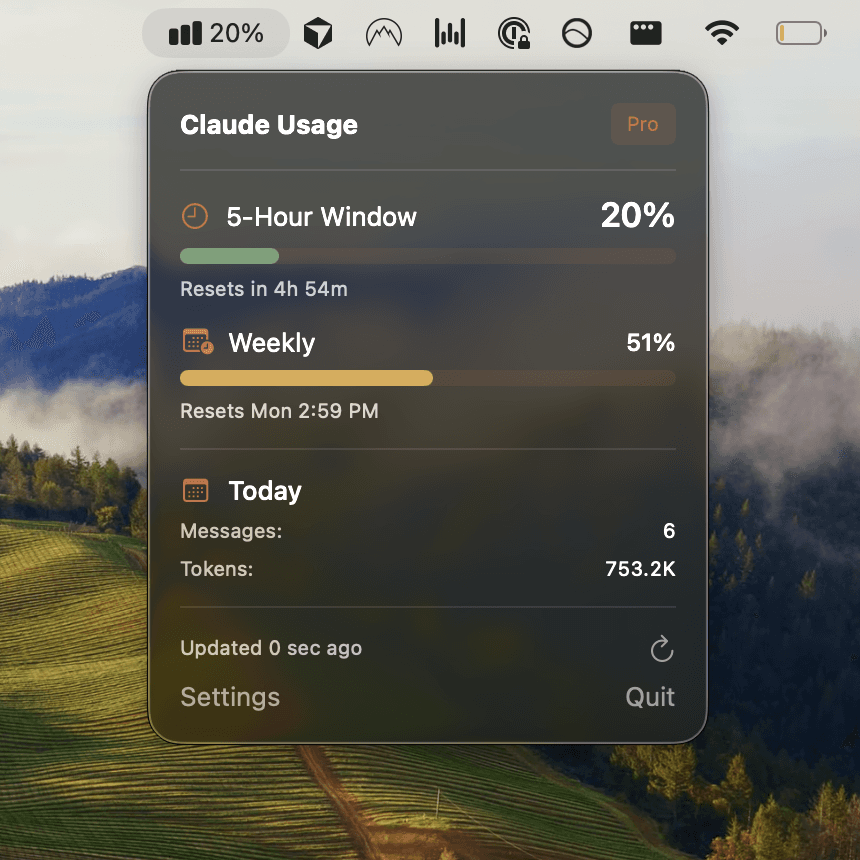
Usagebar tracks your usage limits and remaining session context, directly from your macOS menu bar. No context switching, never hit limits unexpectedly.
Pay what you want. Instant download

“Been using Claude heavily lately and had no real sense of how much. Found usagebar.com through Reddit, and now I can see exactly where my usage goes.”
“Nifty tool - helps me quickly optimize usage”
“Cannot tell you how much I love this. Thanks.”
“very clean. love it.”
“Great app, I was refreshing the claude usage page every now and then”
“i really like the ui, nice job.”
“Was thinking of building this out for my own usage tracking, but no need 🙏”
“your app should be part of Claude its essential.”
“I did this with a chrome extension but yours looks much better!”
“Always wanted this. Thanks”
“I was thinking to build same feature, but I will just take that source code and say thanks a lot 🥳”
“That's banger I'm so depressed when I hit my limit daily on the pro plan.”
“Another Claude Code user here. Nice work.”
“Useful! Great little build!”
“Great app!”
One glance at your menu bar tells you exactly where you stand. No tab switching, no dashboard hunting.
Running low? Switch to Sonnet or Haiku for lighter tasks. Save Opus for when you really need it.
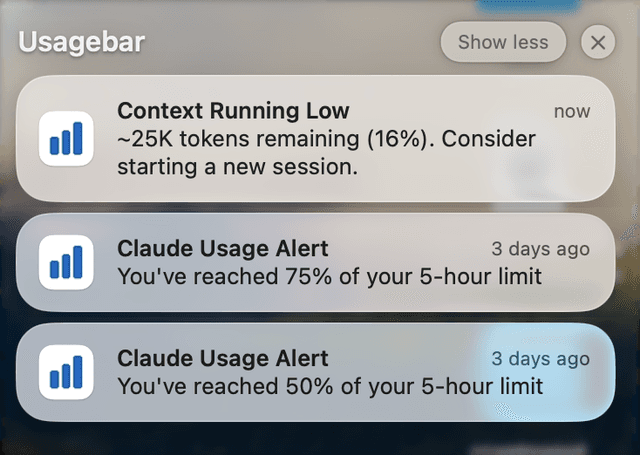
Get a ping at 90% usage so you can wrap up your PR before the 5-hour lockout hits.
Get alerts at 50%, 75%, and 90% usage so you can wrap up your work before hitting limits. Also warns when your session context is running low.

See exactly when your next usage window opens
Uses your existing Claude Code credentials via Keychain