How to Use CLAUDE.md Examples in Claude Code
In this article
CLAUDE.md is a project context file that Claude Code reads at the start of every session. It tells Claude about your project structure, coding standards, development workflows, and common commands—eliminating context switching and keeping you in flow. Instead of re-explaining your codebase every time, you define it once and Claude remembers.
This matters because Claude Code usage counts against your Pro or Max plan's shared limit (usage limits apply to both web and terminal). By giving Claude better context upfront through CLAUDE.md, you ask more efficient questions and avoid wasted tokens on clarifications.
What is CLAUDE.md and why use it?
CLAUDE.md is a markdown file you place in your project root (or home directory for universal use). Claude automatically incorporates it into every conversation, ensuring it always knows your project structure, coding standards, and preferred workflows. Unlike passing context manually each time, CLAUDE.md persists across all sessions in a project.
Benefits:
- No repetition: Skip explaining your tech stack, folder structure, or coding standards repeatedly
- Faster responses: Claude gets context without token overhead in every message
- Consistency: Ensure Claude follows your project's conventions automatically
- Efficiency: Use fewer tokens overall by being clear once instead of clarifying repeatedly
- Fewer interruptions: Reduce back-and-forth questions by pre-answering common queries
For Claude Code users on Pro or Max plans where usage resets monthly, clarity upfront saves tokens and prevents hitting limits mid-project.
CLAUDE.md file structure and examples
Claude Code automatically reads CLAUDE.md from your project root or parent directories (useful for monorepos). Here's what a practical CLAUDE.md looks like:
# Project Context

## Tech Stack
- **Framework:** Next.js 14 (React)
- **Language:** TypeScript with strict mode
- **Database:** PostgreSQL via Prisma ORM
- **Styling:** Tailwind CSS
- **Package Manager:** pnpm

## Project Structure
- `/app` – Next.js app directory (pages and layouts)
- `/components` – Reusable React components
- `/lib` – Utilities, helpers, and custom hooks
- `/prisma` – Database schema and migrations
- `/tests` – Vitest unit tests and Playwright E2E tests
- `/public` – Static assets

## Code Style
- Use TypeScript for all files (no JavaScript)
- Use arrow functions exclusively
- Component names are PascalCase, file names are kebab-case
- Max line length: 100 characters
- 2-space indentation
- Prefer const over let, never use var
- Add JSDoc comments for exported functions

## Common Commands
- `pnpm install` – Install dependencies
- `pnpm dev` – Start development server (http://localhost:3000)
- `pnpm build` – Build for production
- `pnpm test` – Run unit tests
- `pnpm test:e2e` – Run E2E tests
- `pnpm lint` – Run ESLint and format with Prettier

## Testing
- Unit tests use Vitest in `/tests/unit`
- E2E tests use Playwright in `/tests/e2e`
- Always write tests for new features
- Aim for 80%+ coverage

## Deployment
- Main branch auto-deploys to production via Vercel
- Pull requests get preview deployments
- Environment variables required: DATABASE_URL, NEXTAUTH_SECRET

## Do Not
- Do not modify the database schema without running migrations
- Do not commit .env files or secrets
- Do not use inline styles—always use Tailwind classes
- Do not import from outside /lib or /components in pages
This structure covers what Claude needs: the technology choices, where code lives, standards to follow, commands to run, and things to avoid.
Getting started: Creating your first CLAUDE.md
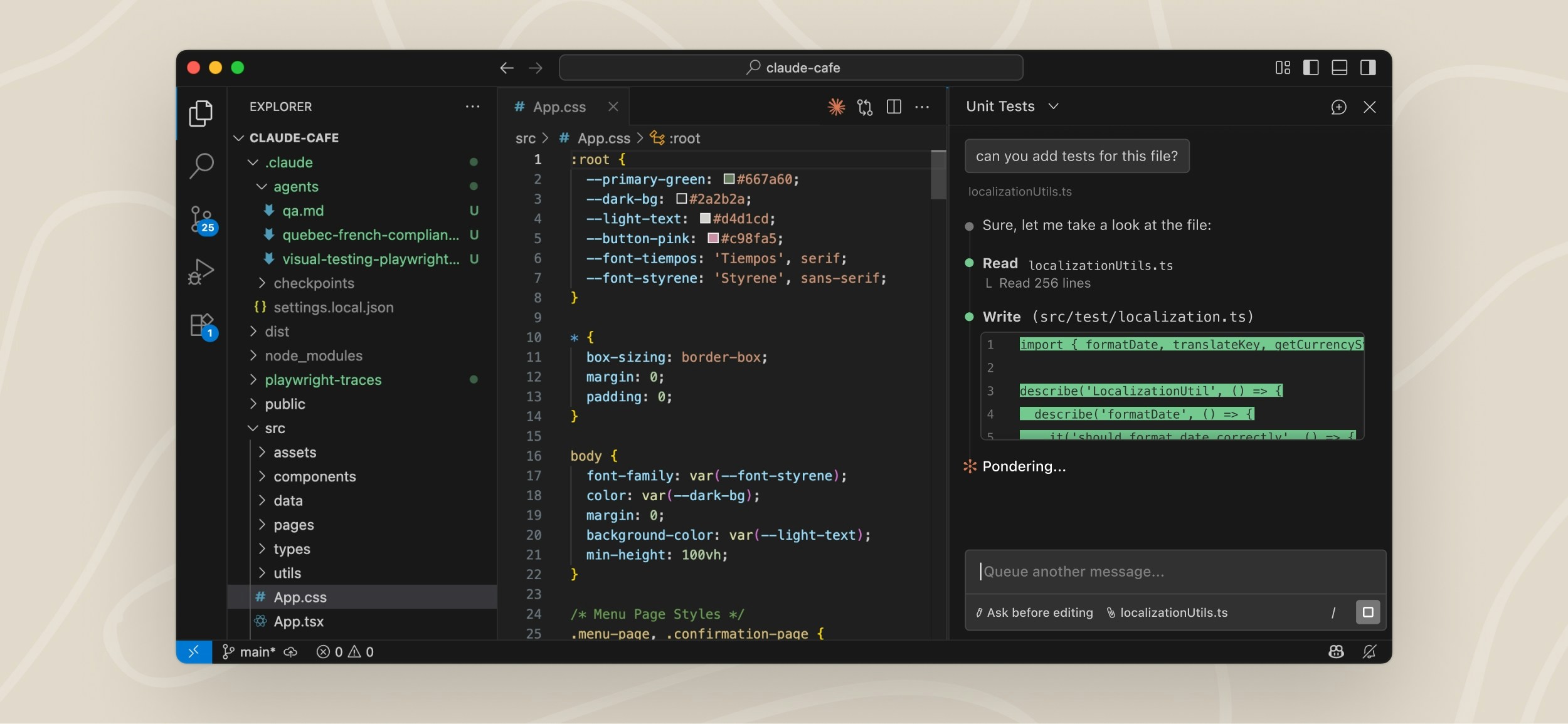
The fastest way to generate a starter CLAUDE.md is the /init command, which analyzes your project structure and creates a basic file. Then customize it for your specific needs.
Option 1: Auto-generate with /init
- Open Claude Code in your project directory
- Run
/initin the terminal - Claude scans your repo and generates a starter CLAUDE.md
- Edit the file to add project-specific details
Option 2: Create manually
- Create a file named
CLAUDE.mdin your project root - Include sections from the example above (Tech Stack, Project Structure, Code Style, Commands)
- Save and reload Claude Code
- Claude picks it up automatically on the next session
Placement options:
~/CLAUDE.md– Applied globally across all projects on your machine./CLAUDE.md– Applied only to this project (overrides global if both exist)./parent/CLAUDE.md– Useful in monorepos; parent directory files are discovered automatically
Practical CLAUDE.md examples by project type
Frontend React project
# Frontend: React + TypeScript

## Stack
- React 18, TypeScript, Vite
- State: Zustand
- HTTP: TanStack Query
- Styling: CSS Modules + postcss
- Testing: Vitest + React Testing Library

## Structure
- `/src/components` – Reusable UI components
- `/src/pages` – Page components (one per route)
- `/src/hooks` – Custom React hooks
- `/src/store` – Zustand stores
- `/src/api` – Fetch utilities and queries
- `/src/types` – TypeScript interfaces

## Key Rules
- Props must be typed; use interfaces, not inline types
- Components are functional, not class-based
- Use `useCallback` for event handlers, `useMemo` for expensive computations
- Prefer composition over inheritance
- API calls go in custom hooks (e.g., `useFetchUsers`)

## Avoid
- Default exports (use named exports)
- Prop drilling (use context or Zustand instead)
- Direct DOM manipulation (use React refs sparingly)
Backend Node.js/Express API
# Backend: Node.js + Express

## Stack
- Node 20, Express, TypeScript
- Database: PostgreSQL + Knex migrations
- Auth: JWT tokens in Authorization header
- Validation: Zod
- Testing: Jest

## Project Structure
- `/src/routes` – API endpoint handlers
- `/src/middleware` – Auth, error handling, logging
- `/src/services` – Business logic (separated from routes)
- `/src/db` – Migrations and queries
- `/src/types` – TypeScript types and enums
- `/tests` – Unit and integration tests

## Key Rules
- All routes return JSON with format: `{ status: "success", data: {...} }` or `{ status: "error", message: "..." }`
- Async functions wrap in try-catch; errors pass to error middleware
- Database queries use Knex, never raw SQL
- Validation: Parse request body with Zod before processing

## Commands
- `npm run dev` – Start server with nodemon (port 3000)
- `npm test` – Run Jest tests
- `npm run migrate` – Run pending database migrations
Full-stack monorepo
# Monorepo: Frontend + Backend

## Structure
- `/packages/web` – Next.js frontend
- `/packages/api` – Express backend
- `/packages/shared` – Shared types and utilities
- `/packages/cli` – Command-line tools (if applicable)

## Shared Types
Location: `/packages/shared/types/index.ts`
Export all types used across packages here to avoid duplication.

## Development
- `pnpm install` – Install all packages
- `pnpm dev` – Start both frontend and backend (concurrently)
- `pnpm test` – Test all packages
- Changes to `/packages/shared` require restarting dev server

## Key Rules
- Backend runs on port 3001, frontend on port 3000
- Frontend calls backend at `http://localhost:3001/api`
- Always update shared types in `/packages/shared` first
- Commit should include changes to both backend and frontend if they're related
Advanced CLAUDE.md tips
Leverage Claude Code skills alongside CLAUDE.md
CLAUDE.md provides project context. Skills (custom slash commands) extend Claude's capabilities. Together, they form a powerful system:
- CLAUDE.md: "Here's our project structure and conventions"
- Skills: "Here's how to do a specific task (e.g., deploy, review code, migrate a component)"
For example, you might create a /deploy skill that references conventions in CLAUDE.md and automates deployment steps specific to your project.
Monitor Claude Code usage while working
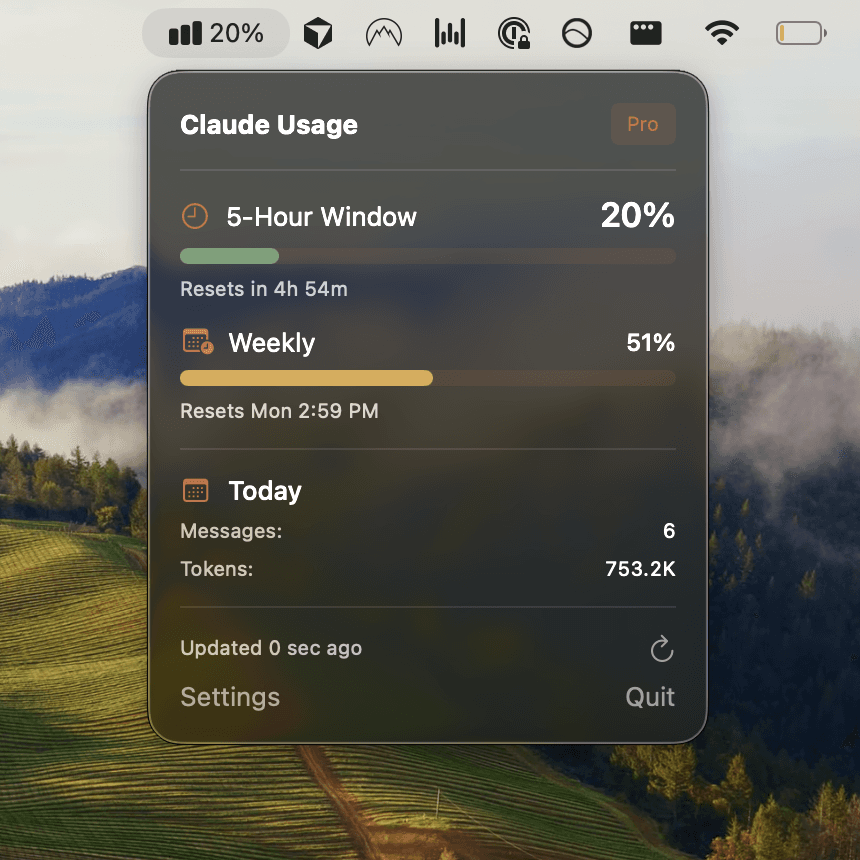
Even with efficient context setup, you can check your Claude Code usage limits mid-session. Use the /usage command in Claude Code or visit claude.ai/settings/usage to see real-time consumption. For automatic alerts at 50%, 75%, and 90% usage, use Usagebar, which sits in your macOS menu bar and notifies you before you hit the limit and face a 5-hour lockout.
This combination—clean CLAUDE.md for efficient context, plus monitoring—prevents wasteful token usage and keeps your workflow uninterrupted.
Organize CLAUDE.md for large teams
For large projects, keep your CLAUDE.md concise (under 1000 words). Link to external docs for details:
# For API reference, see: /docs/API.md
# For architecture decisions, see: /docs/ADR.md
# For deployment runbook, see: /docs/DEPLOY.md
This keeps Claude's context focused while giving it paths to detailed information when needed.
Include project-specific warnings
Add a "Do Not" section that calls out common mistakes or gotchas specific to your project:
## Do Not
- Do not use `setTimeout` in reducers (causes non-deterministic state)
- Do not commit database fixtures from production
- Do not import from `node_modules` directly; use barrel exports
How CLAUDE.md saves tokens and time
When you invest 15 minutes setting up a clear CLAUDE.md, you recoup that time immediately:
- Fewer clarifying questions: Claude understands your project without asking "Where should I put this component?"
- Faster code generation: Claude generates code that already follows your conventions
- Fewer revisions: Less back-and-forth because Claude got the context right the first time
- Lower token usage: You skip re-explaining the same things repeatedly across sessions
Over a month-long project on Claude Pro or Max, this efficiency multiplies—you fit more work into your usage limit and avoid the frustration of hitting a limit mid-task.
Next steps: Pair CLAUDE.md with monitoring
Set up CLAUDE.md once, then pair it with usage monitoring to stay in control. Get Usagebar to track Claude Code usage in real-time from your macOS menu bar, with alerts before you exhaust your monthly limit. It securely stores your API key in macOS Keychain and shows exactly when your usage window resets—so you never face a surprise 5-hour lockout during critical work.
Start with /init in Claude Code to generate your CLAUDE.md, then download Usagebar to stay aware of your usage. Together, they keep you productive and in flow.
Sources
Never Get Locked Out Mid-Task Again
Never hit your usage limits unexpectedly. Usagebar lives in your menu bar and shows your 5-hour and weekly limits at a glance.
Get Usagebar$9 — one-time, lifetime updates