Can You Change Claude's Weekly Reset Time? What Actually Resets It
In this article
- Can you change when claude's weekly limit resets?
- How is the weekly reset time determined?
- 5-hour window vs. 7-day weekly cap
- How do you check your current reset time?
- Why would you want to change the reset time?
- What workarounds exist since you can't change it directly?
- Key takeaways
- Stop guessing when your Claude Code limit resets
You cannot change Claude's weekly reset time. The 7-day cycle for Claude Code and Claude.ai Pro/Max plans is fixed to the timestamp of your first message in that window, not a setting you control in your account or billing dashboard. If the timing is inconvenient, the only real levers are upgrading your plan, pacing usage, or tracking the countdown with a tool like Usagebar so you're not caught off guard.
- Claude Code enforces two separate limits: a 5-hour rolling session window and a 7-day weekly cap (Anthropic Support).
- The weekly window starts from your first qualifying usage timestamp, not midnight or a calendar day you pick.
- There is no setting in claude.ai, the Claude Code CLI, or
/usagethat lets you shift the reset day or hour.
Can you change when claude's weekly limit resets?
No. Anthropic does not expose a control for changing the weekly reset time on Claude Code or Claude.ai Pro/Max plans. The reset is calculated automatically from the moment your 7-day usage window began, and there's no menu option, support ticket, or API parameter that lets you move it to a different day or time of day.
This is different from how some SaaS products handle billing cycles, where you can sometimes request a cycle change from support. Claude's usage reset is tied to consumption tracking, not your billing date, so even contacting Anthropic support won't get you a manual shift (per Anthropic's official usage documentation).
How is the weekly reset time determined?
Your weekly reset is anchored to the exact timestamp of your first message once the weekly tracker starts, then it rolls forward in fixed 7-day increments from that point. So if your window started at 2:14 PM on a Tuesday, it resets at 2:14 PM every following Tuesday, not at midnight and not on a day you selected.
This matters because two users on the same plan, who signed up on different days or started using Claude Code at different times, will have completely different reset schedules. There's no shared "global" reset for all users.
5-hour window vs. 7-day weekly cap
Claude Code tracks usage against two independent clocks. Understanding both helps explain why people often confuse "reset time" questions:
| Limit type | Duration | Resets based on | Can you change it? |
|---|---|---|---|
| Session limit | Rolling 5 hours | Your first message in that session block | No |
| Weekly cap | Rolling 7 days | First qualifying usage timestamp | No |
If you've hit the 5-hour wall repeatedly, that's a separate issue from the weekly cap - see our breakdown of the weekly limit vs. 5-hour lockout for how the two interact.
How do you check your current reset time?
Run /usage inside the Claude Code CLI to see your current consumption and when the weekly window resets, or check claude.ai/settings/usage in a browser. Both show a countdown rather than a fixed clock time, which is part of why the schedule feels opaque (Claude Code slash commands documentation).
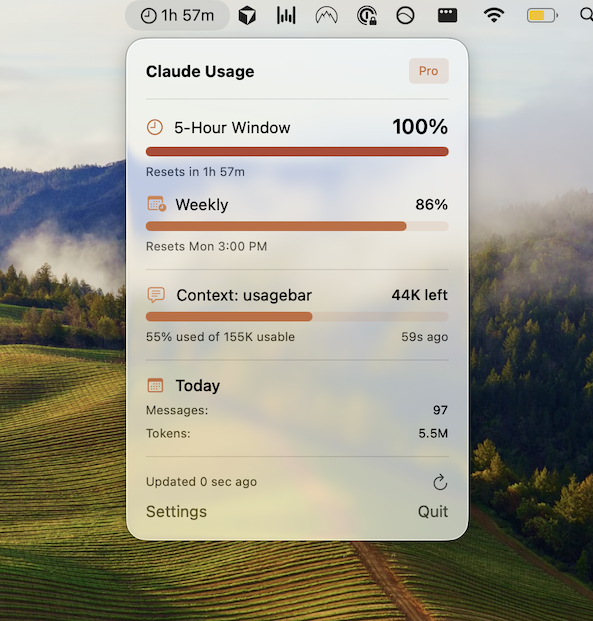
For a persistent, always-visible version of that countdown without re-running a command, Usagebar sits in the macOS menu bar and tracks the 5-hour window, the weekly cap, and context usage together, with alerts at 50%, 75%, and 90% consumed. For a step-by-step on reading the raw numbers, see how to check your Claude Code usage limits.
Why would you want to change the reset time?
Most requests to change the reset time come down to timing friction, not curiosity:
- The weekly cap resets mid-afternoon on a weekday, cutting off a work session right when you need capacity.
- The reset lands on a weekend, so capacity refreshes when you're not working and you lose effective usage days.
- Teams want everyone's reset aligned to Monday morning for predictable sprint planning.
None of these are solvable by changing the clock itself. Related reading: how Claude's weekly limit reset time works and when Claude Code usage actually resets.
What workarounds exist since you can't change it directly?
You can't move the clock, but you can work around it: front-load heavy tasks early in your window, use a lower-cost model (Haiku/Sonnet) for routine work to preserve weekly budget for complex tasks, or upgrade from Pro to Max for a higher weekly ceiling. Some users also ask about resetting the limit early rather than changing when it resets - that's covered separately in can you reset Claude's usage limit early, and the short answer there is also no, outside of a plan upgrade.
If you're consistently running into the cap, read what to do when you hit "rate limit exceeded" for mitigation steps that don't rely on the reset schedule changing.
Key takeaways
- Claude Code's weekly reset time is fixed to your first usage timestamp - there is no user-facing setting to change it.
- The 5-hour session limit and 7-day weekly cap are tracked independently, each on its own rolling clock.
- Check your current reset countdown via
/usage, claude.ai/settings/usage, or a persistent menu-bar tracker like Usagebar. - Workarounds focus on pacing usage or upgrading plans, not altering the reset schedule itself.
Stop guessing when your Claude Code limit resets
Usagebar is a $9 one-time macOS menu bar app that tracks your 5-hour window, weekly cap, and context usage in real time, with alerts before you hit a wall. Get Usagebar.
Find Out Before You’re Locked Out, Not After
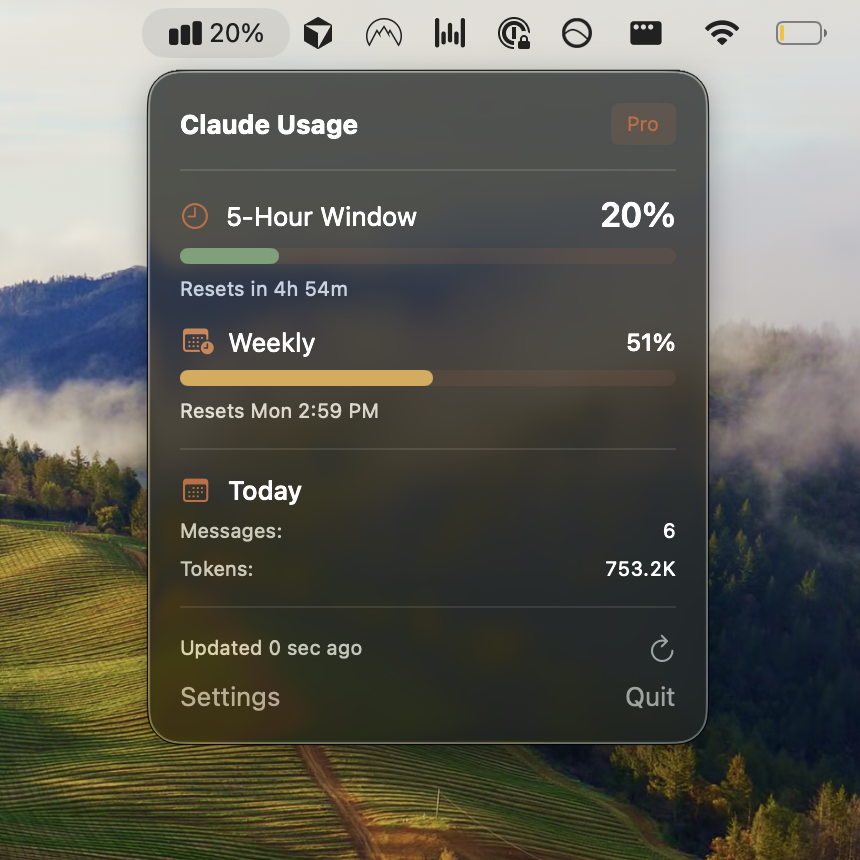
Checking your usage means stopping what you’re doing to go look. Usagebar keeps your 5-hour and weekly limits in the menu bar while you work, and alerts you at 50%, 75%, and 90% — so a lockout never lands mid-task.
Get Usagebar$9 — one-time, lifetime updates