Claude Resets Every 5 Hours: How the Rolling Usage Window Actually Works
In this article
- How does the 5-hour reset actually work?
- Is the 5-hour limit the only limit I should worry about?
- Why did I get rate limited if my 5-hour window just reset?
- 5-hour window vs. weekly limit: side by side
- How do I check when my Claude usage resets?
- Can I reset my Claude usage early?
- Key takeaways
- Stop guessing when your window resets
- Sources
Claude resets every 5 hours because Anthropic uses a rolling usage window, not a fixed daily reset. The clock starts the moment you send your first message in a session and expires exactly 5 hours later, then a fresh allowance opens. This applies to Claude Code and Claude.ai on Pro and Max plans, and it stacks on top of a separate weekly cap. Developers who hit the wall mid-task typically do so because they didn't realize a new window had already started, or they're nearing the weekly limit on top of the 5-hour one.
- The 5-hour window is rolling, triggered by your first message, not reset at midnight or on a fixed schedule (Claude Support).
- A separate weekly limit runs alongside the 5-hour window, so you can be fine on the short window and still blocked for the week (why Claude has a weekly limit).
- Usagebar tracks both the 5-hour and weekly windows plus context usage, with alerts at 50%, 75%, and 90%, for a one-time $9 fee.
How does the 5-hour reset actually work?
The 5-hour reset is a rolling window: it starts counting from your first prompt in a session and expires 5 hours after that, giving you a fresh allowance regardless of the time of day. There's no fixed reset time like "midnight UTC"—two people starting work at 9am and 2pm get two completely different reset schedules.
This is why "when does Claude reset" doesn't have a single universal answer. Each user effectively runs their own private clock based on when they first touch Claude Code that day. Anthropic documents this behavior directly in its Claude Code usage guide for Pro and Max plans.
Is the 5-hour limit the only limit I should worry about?
No. Claude Code also enforces a weekly limit that resets on a fixed 7-day cycle, independent of the 5-hour window. You can be well inside your current 5-hour allowance and still get blocked because the weekly cap is exhausted.
Think of it as two meters running at once: a short-term meter (5 hours) that resets constantly throughout the day, and a long-term meter (7 days) that resets once a week on a set day. Our breakdown of the weekly limit vs 5-hour lockout covers which one is actually blocking you when Claude Code throws an error.
Why did I get rate limited if my 5-hour window just reset?
If your 5-hour window reset but you're still rate limited, the weekly cap is almost certainly the cause. Heavy users on Max plans especially report this: the short window clears, but the weekly allowance (which resets on a fixed schedule, not per-session) is still exhausted from earlier in the week.
Context window overflow can also mimic a rate limit error if a single long session accumulates too much token usage, triggering compaction or a hard stop mid-task. See Claude Code rate limit exceeded for the full troubleshooting path.
5-hour window vs. weekly limit: side by side
| Factor | 5-hour window | Weekly limit |
|---|---|---|
| Reset type | Rolling, starts at first message | Fixed, same day/time each week |
| Resets per day | Multiple possible | Once every 7 days |
| Applies to | Pro, Max (Claude Code + Claude.ai) | Pro, Max (Claude Code + Claude.ai) |
| Where to check | /usage command, claude.ai/settings/usage | Same, plus Usagebar menu bar |
| Common fix when blocked | Wait out the rolling window | Wait for weekly reset or downgrade session intensity |
How do I check when my Claude usage resets?
Run the /usage slash command inside Claude Code to see your current 5-hour and weekly usage, or check claude.ai/settings/usage for the same data in a browser. Neither view updates in real time without manually refreshing or re-running the command.
Usagebar solves the "manually checking" problem by sitting in the macOS menu bar and tracking both windows continuously, with proactive alerts before you hit a wall. For a step-by-step comparison of the native options, see how to check your Claude Code usage limits.
Can I reset my Claude usage early?
No, there's no official way to force an early reset on either the 5-hour or weekly window. Anthropic's limits are enforced server-side with no manual override, so the only path forward is waiting out the current window or upgrading your plan tier.
Some workarounds exist, like switching to the API with pay-as-you-go billing for overflow work, but that comes with its own cost tracking complexity. Full details in can you reset Claude usage limit early.
Key takeaways
- Claude Code's 5-hour limit is rolling, not fixed—it starts when you send your first message and expires exactly 5 hours later.
- A separate weekly cap runs in parallel and resets on a fixed 7-day schedule, independent of the 5-hour clock (weekly limit reset time).
- Hitting a rate limit error doesn't always mean the 5-hour window is the culprit—check the weekly meter too.
- Native tools (
/usage, claude.ai/settings/usage) require manual checks; Usagebar automates monitoring with 50/75/90% alerts for $9 one-time.
Stop guessing when your window resets
Usagebar tracks your Claude Code 5-hour window, weekly cap, and context usage directly from the macOS menu bar, with alerts before you run out mid-task. One-time $9 purchase, no subscription.
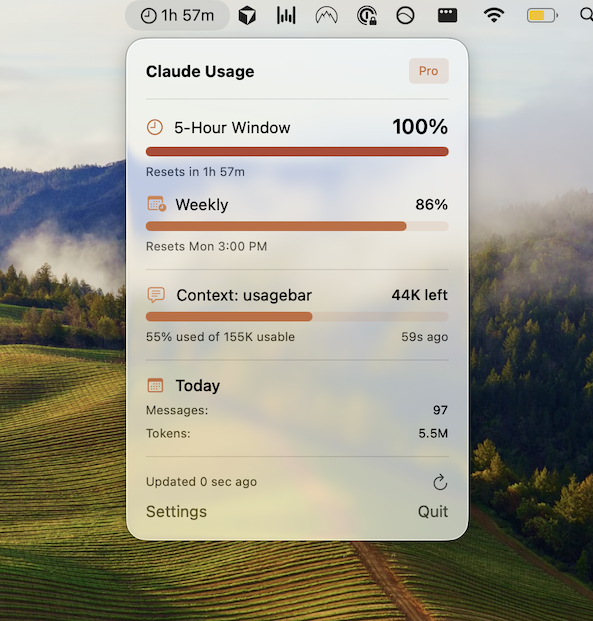
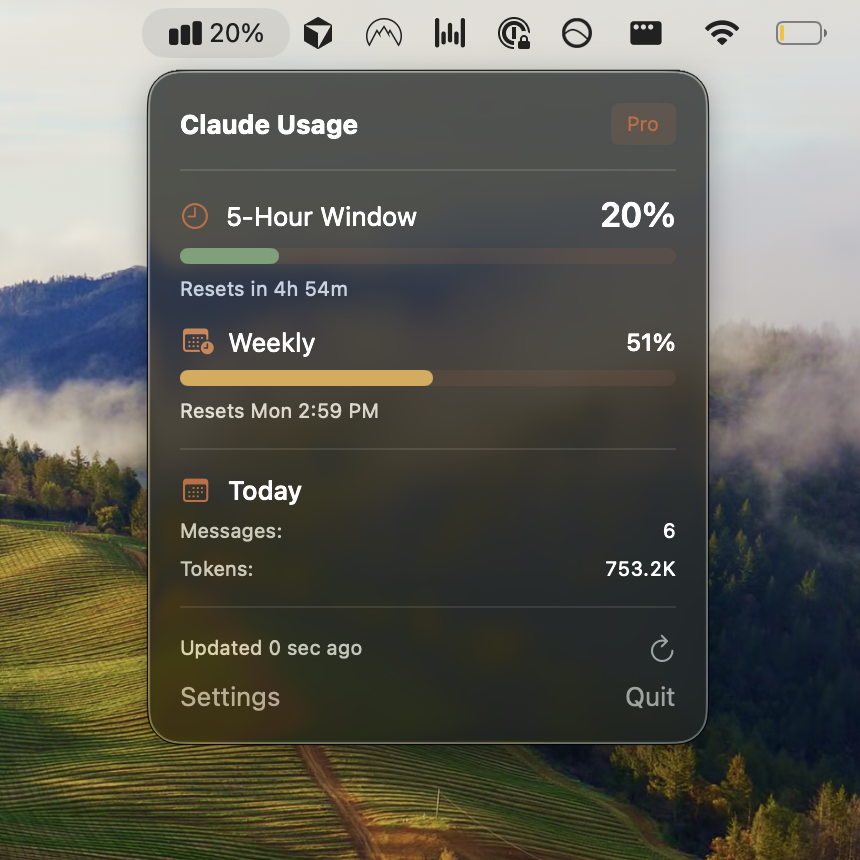
Get Usagebar and see exactly when your next reset lands.
Sources
Find Out Before You’re Locked Out, Not After
Checking your usage means stopping what you’re doing to go look. Usagebar keeps your 5-hour and weekly limits in the menu bar while you work, and alerts you at 50%, 75%, and 90% — so a lockout never lands mid-task.
Get Usagebar$9 — one-time, lifetime updates